Find the Qibla
Use your phone’s compass to find the direction of prayer.
Illustration only
 Coming soon to Android
Prayer & App Lock
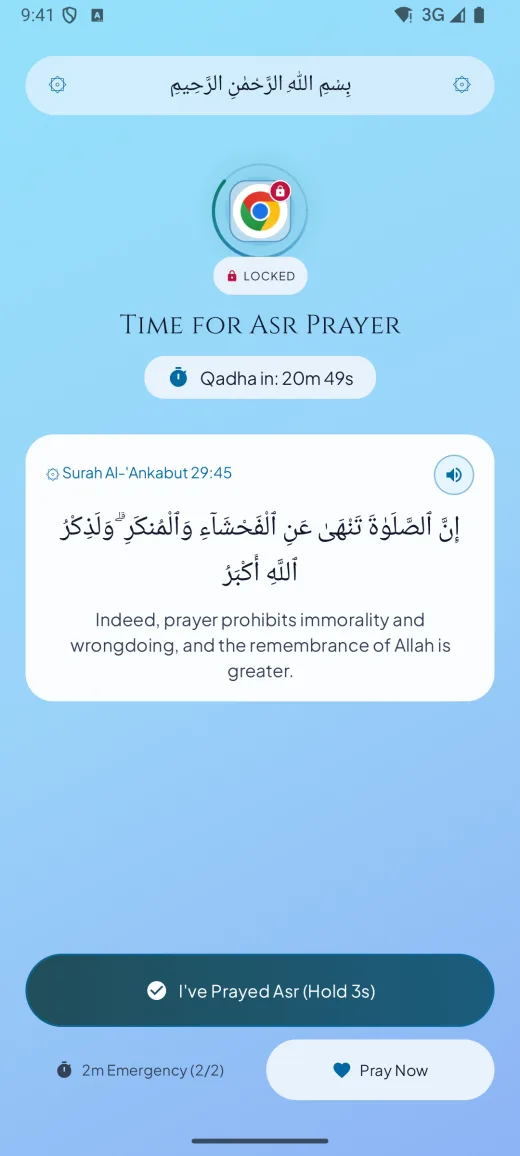
Choose the apps that can wait. Salah Gate pauses them at prayer time and lets you back in when you mark the prayer.
Android 7.0+ · iPhone app in development
Asr 4:45 PM
These are example times. Salah Gate calculates your prayer times on your phone.
Use your phone’s compass to find the direction of prayer.
Illustration only
Step 1
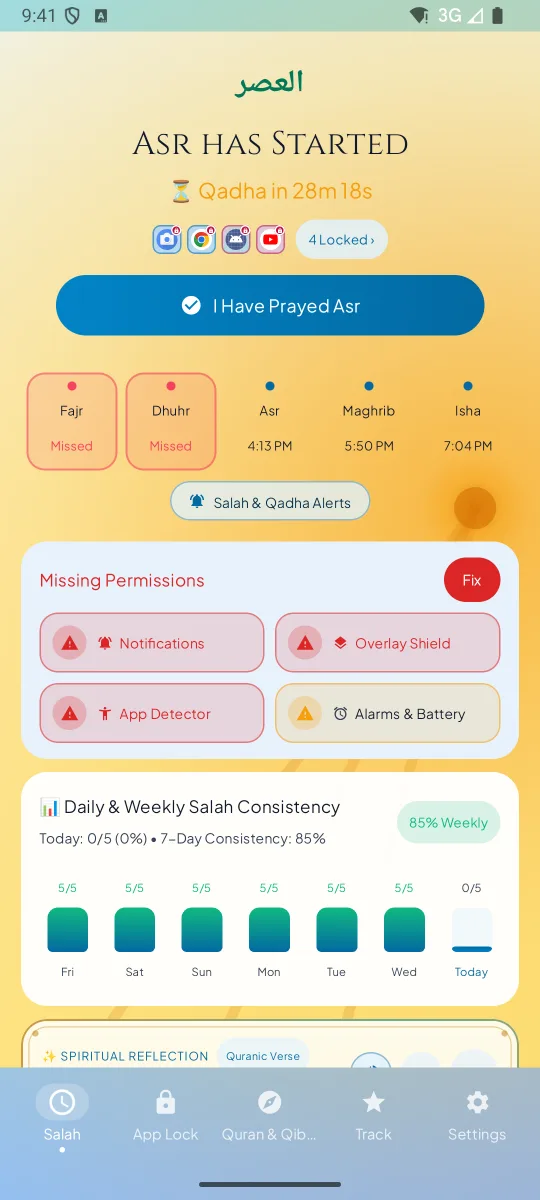
Salah Gate starts a window at each prayer time, plus the Jama'ah delay you set. A five-minute heads-up can arrive before the adhan.
Step 2
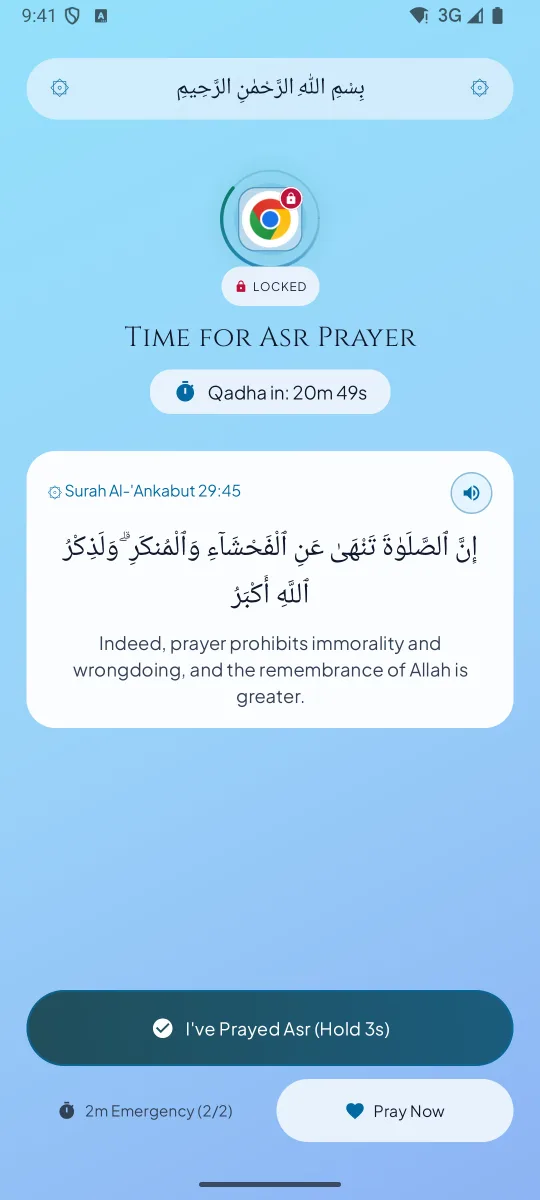
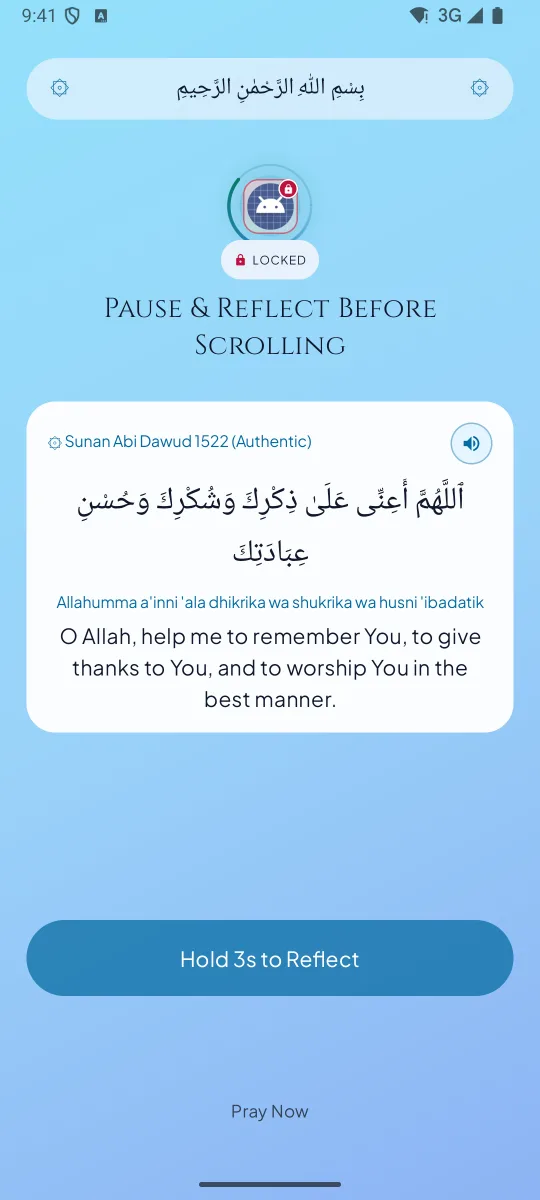
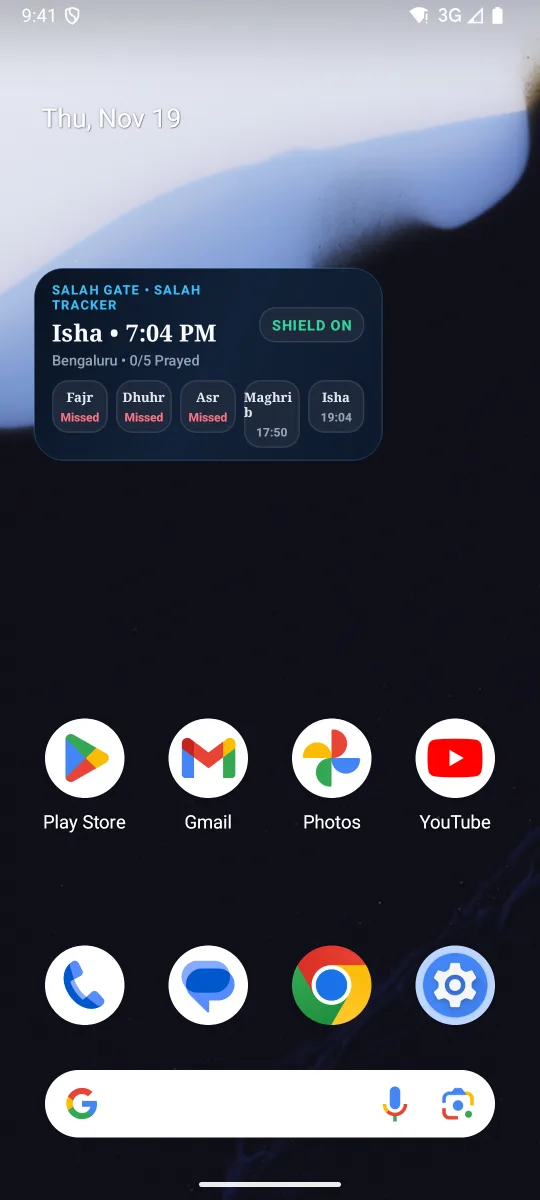
Open one of your guarded apps and a prayer screen takes its place. Calls and apps you did not choose keep working.
Step 3
Hold the ring to mark the prayer and your apps open again. A two-minute emergency pass is available twice a day, and the window also ends on its own.
Open the example app, then mark the prayer to see the lock lift.
Asr has started.
| When | Prayer reminder | Salah Gate |
|---|---|---|
| When prayer time starts | A notification arrives | The apps you chose are locked and a prayer screen takes their place |
| If you dismiss it | The feed opens as usual | The prayer screen stays until the Salah window ends or you pray |
| When you confirm the prayer | Nothing changes | A hold on the ring marks it prayed, the apps reopen and the streak grows |
| If you are excused | You have to remember to ignore it | Excused / Travel Pause keeps the apps open and the streak safe |
“So remember Me; I will remember you.”
Al-Baqarah 2:152Pause with an ayah before opening a guarded app between prayers. Hold to reflect and choose how long to unlock it.
Use a pass to open a guarded app for two minutes. The lock returns automatically if the prayer window is still active.
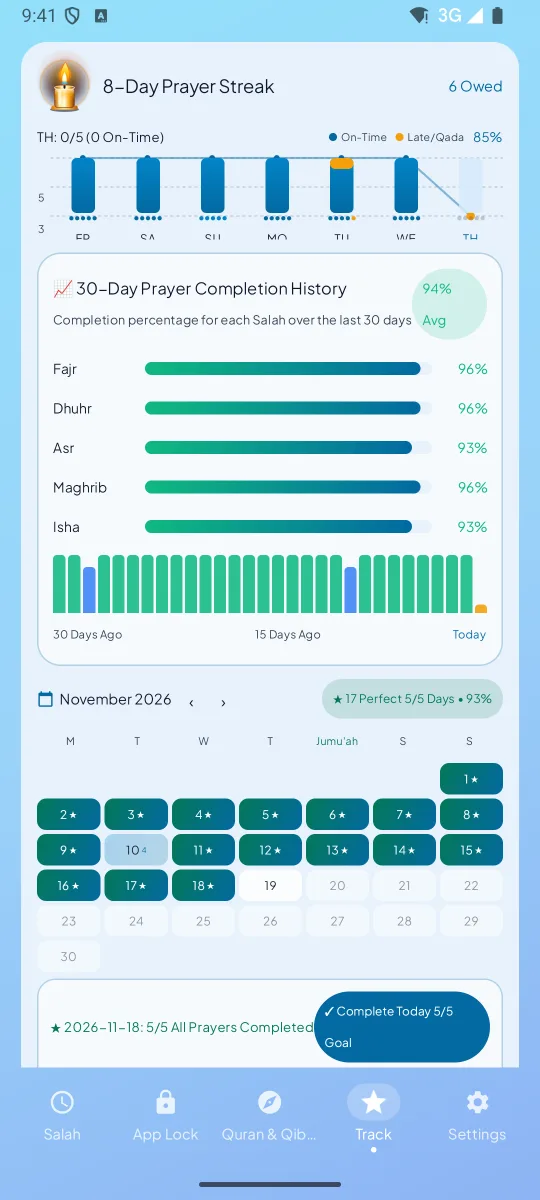
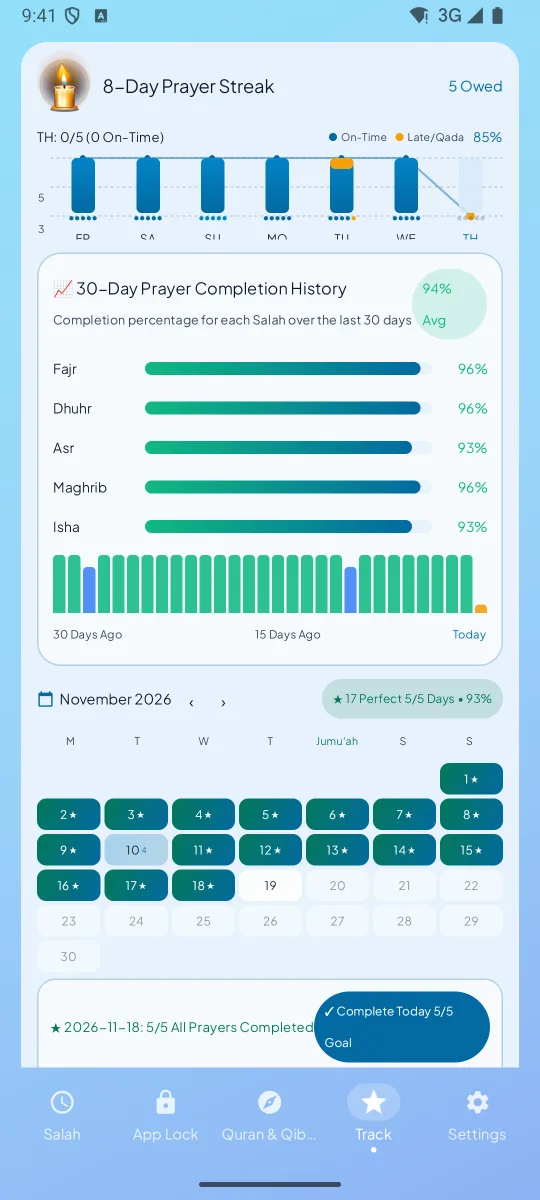
See which prayers you marked on time, late, made up, missed, or excused.
Android
Coming soon to Google Play. Join the waitlist and we will email you on launch day.
Join the waitlistiPhone
The iPhone app is in development. There is no App Store listing yet.
Salah Gate Pro
Salah Gate for Android requires a subscription to get started. Google Play will show monthly and yearly pricing and any available trial before you subscribe.
If Pro ends, your prayer logs stay on your phone and are not deleted.
Joining the waitlist is free. The Android app requires a subscription to get started. You can review the price and any trial in Google Play when it launches.
We’ll use your email to let you know when Salah Gate launches. Waitlist privacy · Contact support
Why Salah Gate asks for access on your phone.
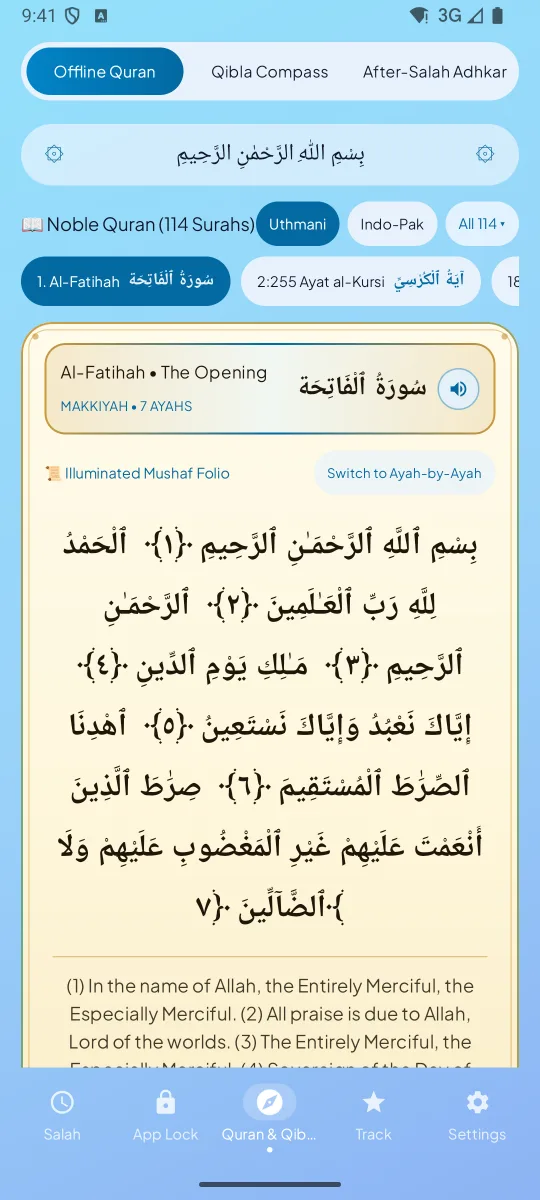
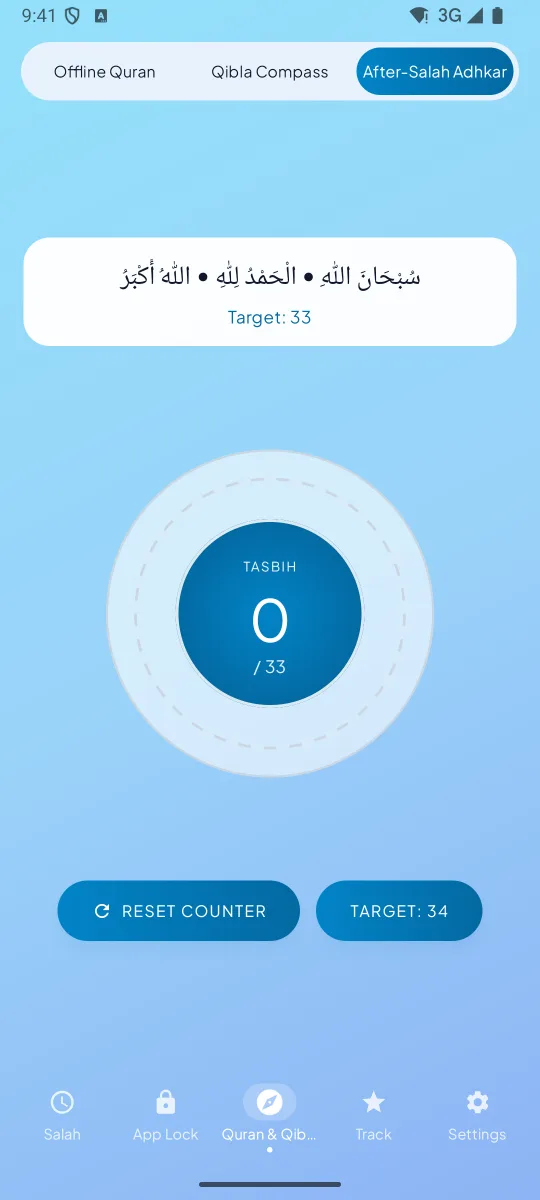
Salah Gate is NiyatWay’s Android prayer-time app lock. It pauses the apps you choose, then opens them again when you mark the prayer. It includes offline prayer times, adhan, Qibla, Qur’an reading and prayer tracking.
Yes. Salah Gate locks only the apps you pick, for the length of each Salah window, and shows a prayer screen with a Pray Now button instead. Calls, messages and every other app keep working, so you are never cut off from something important.
Make the phone physically unavailable before the adhan, silence notifications, and use wudu as the moment you put it down. Salah Gate adds a practical barrier: the apps you chose simply will not open until you confirm the prayer with a short hold on the ring.
It is the Android permission that tells an app which app is in front, so the prayer screen can appear. It runs only on your device, and screen content is never read.
Yes. Only the apps you choose are locked, so anything you have not selected, including phone calls, keeps working. There is also a 2-minute emergency pass, up to twice a day, and the lock returns on its own afterwards.
You can log the prayer as late, and it still counts towards your day. If you miss it entirely, you can mark it missed, log it as excused, or record it in the Qada Bank as a prayer to make up later.
Prayer times, the app lock, the Qibla compass and the included Qur’an text can work offline. Audio downloads, optional cloud checks and profile sync, and Google Play billing use internet access.
No. Turn on Excused / Travel Pause. The app stops locking during that time and your streak stays safe.
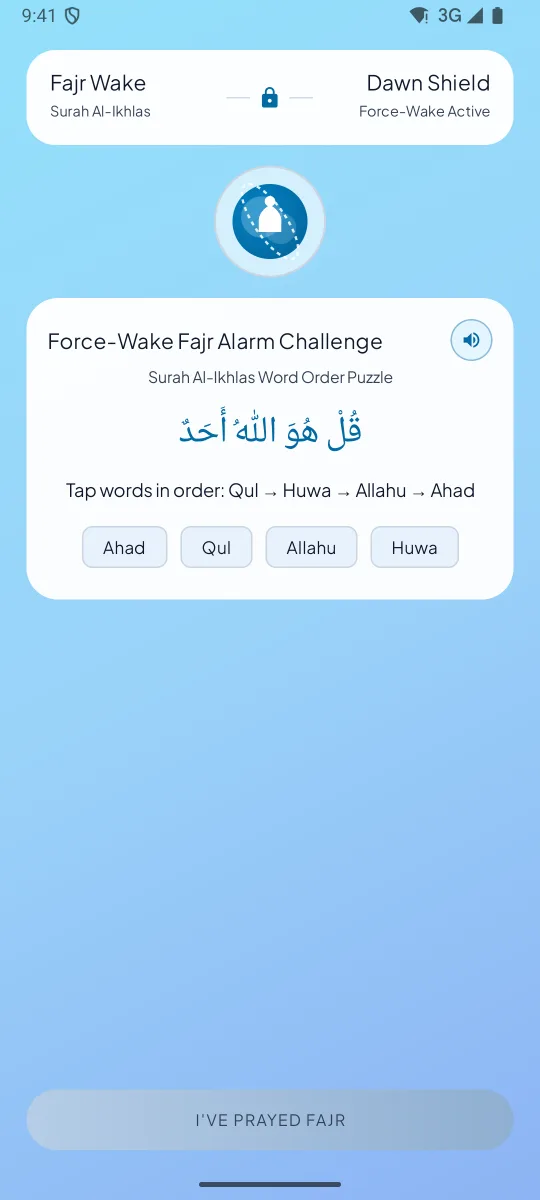
The Android app requires a subscription to get started. The subscription covers unlimited guarded apps, Verse Gate, Qada Bank and the Fajr Force-Wake challenge.
Yes. Google Play will show the monthly and yearly plans before you subscribe. Manage or cancel your subscription from Google Play.
Google Play will show any available trial, its duration and the price before you subscribe. The waitlist is free to join.
Karachi, ISNA, MWL, Umm al-Qura and Egyptian, with a choice of Hanafi or Shafi'i, Maliki and Hanbali Asr. Times are calculated offline on your phone from a built-in city database.
Yes. You can choose Hanafi Asr, where Asr begins when an object's shadow is twice its length plus the noon shadow, or the Shafi'i, Maliki and Hanbali method, where it begins at once the object's length plus the noon shadow.
Yes. A Mosque Jama'ah delay shifts the lock to match your mosque's congregation time, and there is a 5-minute warning before the lock begins. The same setting works for an office or school jamaat time.
The Android accessibility service detects which app opens so it can show the prayer gate. It cannot retrieve window content such as messages, passwords or screen text.
The iPhone app is in development for iOS 17 and newer. It does not have an App Store listing yet. Android 7.0 and newer is the planned first release.
It is coming soon. Join the waitlist and you will get one email on the day it launches — there is no date to share yet.
Joining the waitlist is free. Salah Gate for Android requires a Google Play subscription to get started.
Android 7.0 (Nougat) or newer is required. Prayer times are calculated on the device, and signing in is optional.
You choose the apps that pull you in. When a prayer time begins, Salah Gate watches for one of those apps coming to the front and shows its own screen instead, so the app waits until you mark the prayer. It uses Android's Accessibility service for that, and an emergency pass if you need one.
Only your selected apps are guarded. Calls and unselected work tools keep working. Mark the prayer or wait until the prayer window ends to reopen guarded apps.
Salah Gate calculates times from the location you set, so when you travel you update the city and the times follow. If the device time zone changes, the calculation uses the new local date and time. Check the method against your destination's local mosque, since methods vary by region.
It can help you put distracting apps aside when it is time to pray. You choose which apps to guard and when to mark each prayer.
You can put your own phone aside at family prayer time. The app manages your selected apps on your device.
Core features work without an account. Optional Google sign-in supports cloud profile sync, as explained in the privacy policy.
Salah Gate uses Android alarms and accessibility for prayer alerts and the app lock. Battery impact varies by phone and settings.
Yes. Namaz is the word many people use for salah, and Salah Gate is built around the five daily prayers: times, adhan, Qibla, a lock over distracting apps and a record of what you have prayed.
Yes. Prayer times are calculated on the device from your location and the method you choose, and the adhan can play at each prayer. Calculated times can differ by a minute or two from your local mosque, so follow the mosque when they differ.
Salah Gate runs on Android 7.0 and newer, including tablets, but it is designed for phones and we have not tested tablet or foldable layouts. Until we do, treat the experience as a phone app that happens to open on a larger screen.
Read the Salah Gate privacy policy or contact support.
Salah Gate is NiyatWay’s first app for everyday Islamic practice.
Explore NiyatWay’s apps